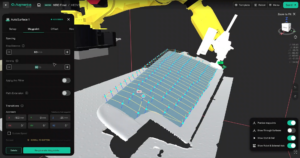
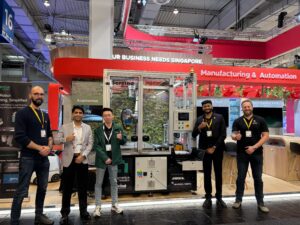
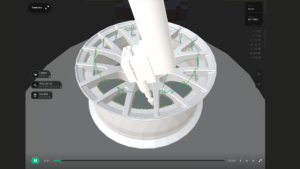
Augmentus 3.1 delivers end-to-end improvements across scanning, motion planning, and path generation — giving operators faster part capture, smarter robot transitions, and more accurate collision detection in every offline program.
Introducing Rotary Scanning: Full Coverage in One Rotation
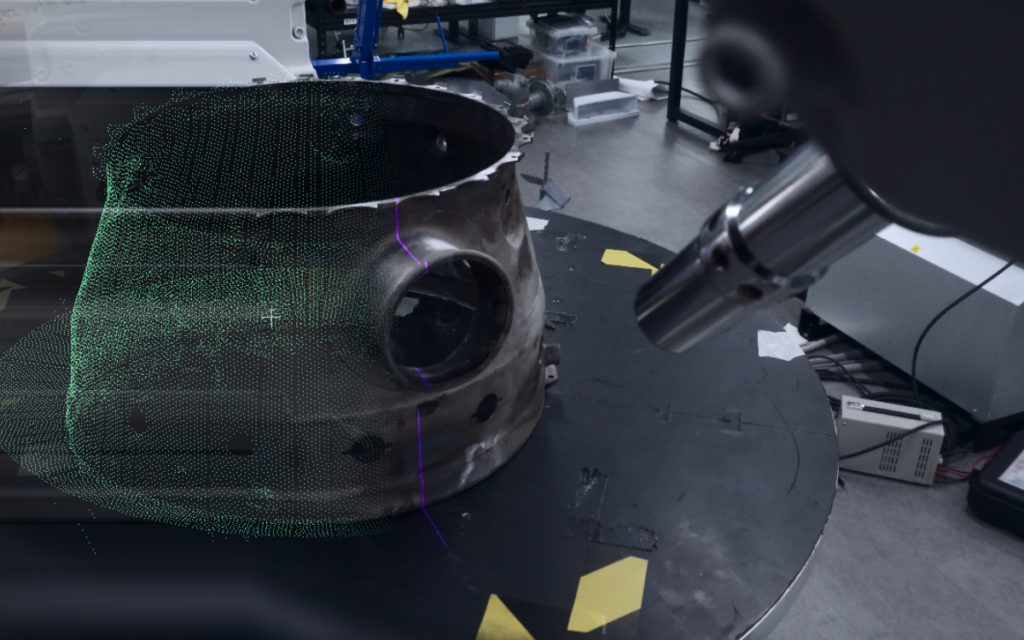
Getting full coverage of a workpiece used to mean adding multiple scan modules from different angles and piecing the results together. More modules meant more setup time, more room for alignment error, and still no guarantee of complete coverage.
Capture a full 360° point cloud and mesh from a single scan module. The positioner rotates the workpiece while the scanner captures continuously. The result is a complete, dense mesh — no multiple scan setups, no coverage gaps.
Choose between an Accurate preset for maximum detail or a Fast preset that completes a scan in a few minutes depending on part size and complexity. For parts where a single viewing angle cannot see everything, multi-pass mode combines up to three scans from different positions into one merged mesh.
A companion Rotary Calibration workflow ensures the positioner alignment is dialled in before the first scan, so the mesh is production-ready from the start.
Supported scope: ABB Robot (IRC5) with Augmentus Line scanners and ABB Positioners.
Path Optimizer V2: Coordinated Motion, Singularities, Collision — Now Solved Faster With a Graph You Can Steer
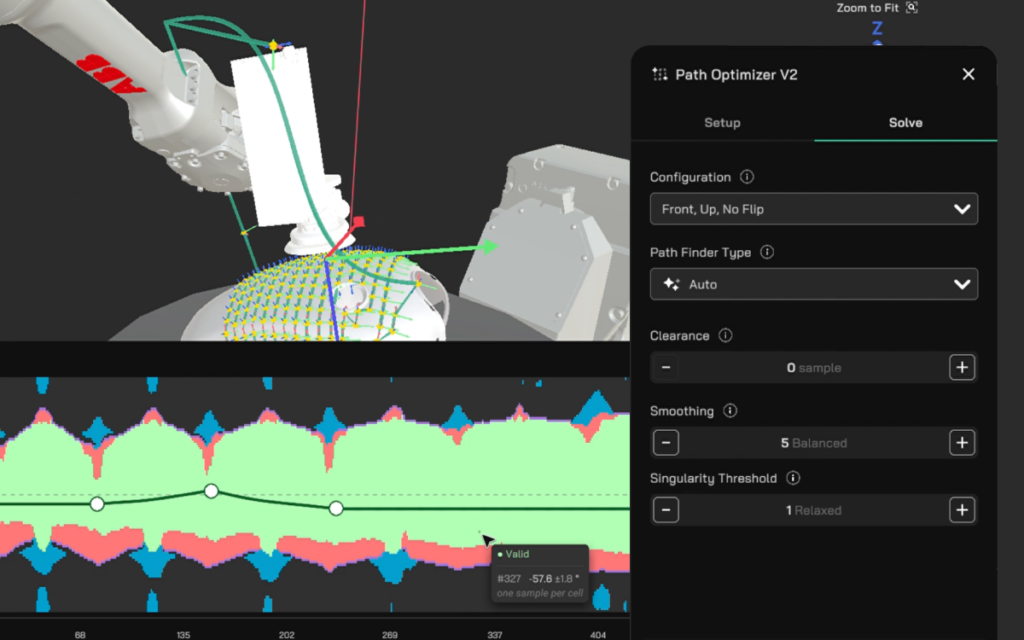
When Path Optimizer Local cannot resolve a path, the operator has no visibility into why it failed or where the problems are. The only option is to tweak settings and re-run — trial and error, with no guarantee of progress. Path Optimizer Global changes the model entirely.
See why a path fails, not just that it failed. Path Optimizer Global introduces an interactive graph that maps every point along the path against every possible robot configuration. Valid zones, singularity risks, unreachable regions, and collisions are all colour-coded in a single view. Instead of guessing what went wrong, the operator sees the full picture at a glance.
Fix the path directly. Place control points on the graph to guide the path through valid zones. The result updates in real time — one interaction replaces what used to be multiple re-runs. Corrective action is immediate and informed.
Works across all station types. Whether the setup uses a linear rail, rotation axes, tool angles, or a positioner, Path Optimizer Global handles it. For dual-axis positioner setups, an auto-solver resolves both axes together.
Accessible to any operator. For the systems integrator commissioning a new cell, Path Optimizer Global collapses the back-and-forth between path generation and optimisation into a single step. For the production operator on the floor, path errors from a new part variant can be resolved without escalation to an engineer. The graph makes the problem visible — no robotics expertise required to read it or act on it.
Connector Module: Collision-Free Transit Between Process Paths
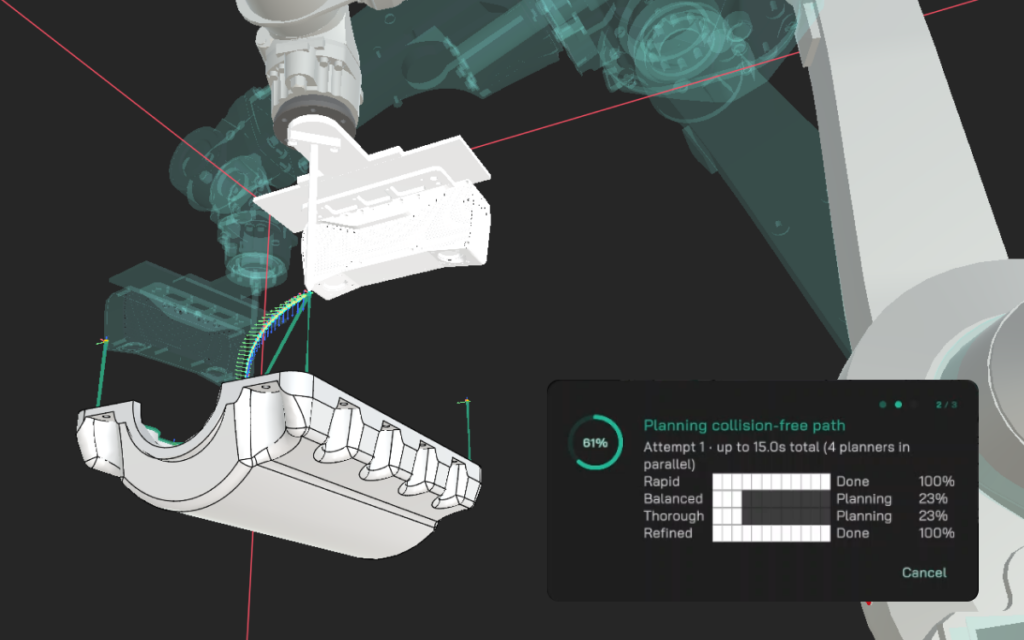
Plan collision-free transit motions between any two process paths — automatically. The Connector Module replaces hand-placed intermediate waypoints. Drop a Connector between two process paths, select a process preset (sandblasting, painting, thermal spray, welding, sanding, polishing, or deburring), and compute.
The module generates multiple candidate solutions, each with a motion preview. Compare options, then accept. Subsequent Connectors inherit your settings — no repeated setup.
This eliminates two persistent pain points: the manual effort of teaching intermediate waypoints while avoiding collisions and singularities, and the cycle-time waste of homing the robot between passes. For painting and blasting applications where homing means wasted material, the impact is immediate.
Concurrent Positioner: Independent Turntable Rotation
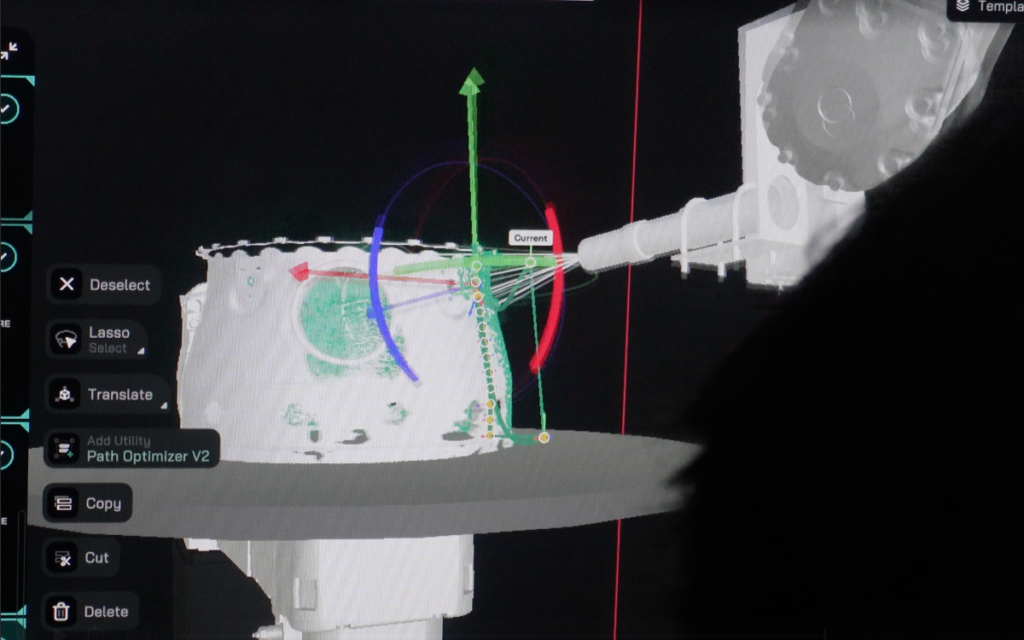
Run the positioner independently while the robot executes its process path. The Concurrent Positioner module defines a section of the program where the turntable rotates continuously or by a fixed angle while the robot moves on its own.
This is the standard motion model for thermal spray and shot peening — the part spins non-stop while the robot traverses. Set the rotation direction, speed, and mode, and the software generates the correct robot script and simulates the concurrent motion accurately — including collision detection between the independently-moving robot and positioner.
Supports both 1-axis and 2-axis positioners with ABB robots.
Plan for Accurate Collision-Free Paths with Custom Colliders
Import or set up your actual cell geometry to plan for accurate collision-free paths. The Safety Boundary scene now supports custom collision objects — simple shapes (cube, sphere, cylinder) created in-scene, plus imported CAD files (OBJ, STL, STEP, STP) of fixtures, jigs, walls, and enclosures.
Previously, operators modelled their cell as a single bounding box. Real production cells — with window frames, beam-columns, fixture clamps, and walls — rarely fit that shape. The result was either an oversized box that wasted usable workspace, or an undersized one that missed real collision risks.
Now, import the CAD of your cell, position it in the scene, and the software accounts for the real geometry during every planning and simulation step. This works alongside the Connector Module and Path Optimizer — transit paths and optimised trajectories respect the full cell layout.
New Curved Surface Algorithm
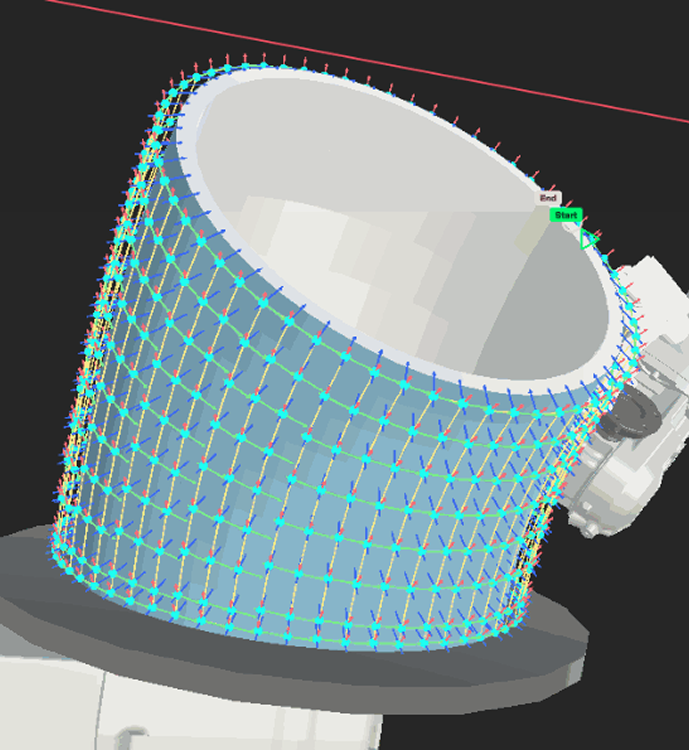
A new path generation algorithm built specifically for curved geometry. AutoSurface now includes a dedicated algorithm designed for curved surfaces, something that general-purpose algorithms struggle with.
The Curved algorithm follows the natural curvature of the surface to produce clean, continuous toolpaths without coverage gaps or artifacts. A manual slicing direction control gives operators predictable results when the default orientation does not suit the part. Hole avoidance splits paths into independent segments around surface gaps instead of jumping across them.
Techman Robot Integration
Augmentus now supports Techman (TM) collaborative robots — plan, simulate, and execute paths end-to-end, including scanning workflows. This expands the supported brand ecosystem alongside ABB, FANUC, Kawasaki, KUKA, Universal Robots, and Yaskawa.
Where Augmentus Delivers an Advantage
Thermal spray and shot peening. Rotary Scanning captures the full part geometry in one pass. Concurrent Positioner handles independent positioner rotation during the spray pass. The Connector Module plans collision-free transitions between passes without homing. Together, these features cover the end-to-end thermal spray workflow.
Surface finishing — painting, coating, sanding, polishing. Process-specific presets in the Connector Module optimise transit motion for each application. Path Optimizer Global delivers faster error diagnosis on complex multi-axis paths. The new Curved algorithm opens up curved surface geometries that general-purpose algorithms cannot handle cleanly.
Any cell with fixtures and obstacles. Custom Colliders bring the real production cell into the offline scene. Every path — generated, optimised, or manually taught — is planned against accurate geometry, not a rough bounding box.
Start a Trial Today — See It on Your Parts
Augmentus 3.1 is available now. Import your CAD, scan your workpiece, and generate production-ready toolpaths from day one.