Production lines run at their own pace — Augmentus 3.0 is built to match it. The release introduces one-click toolpath generation, vision-guided adaptive robotics, and a set of cell-level improvements that cut setup time and extend where the software fits.
One-Click Toolpath Generation, with Granular Selection Control
Two features anchor this capability in 3.0: AutoEdge for edge-following paths, and AutoSurface for surface coverage. Both replace days of manual point-by-point teaching with a workflow built around clicking the geometry you want to process. CAD or scanned mesh, the workflow is the same, and Augmentus generates the waypoints.
AutoEdge: rapid, precise edge selection
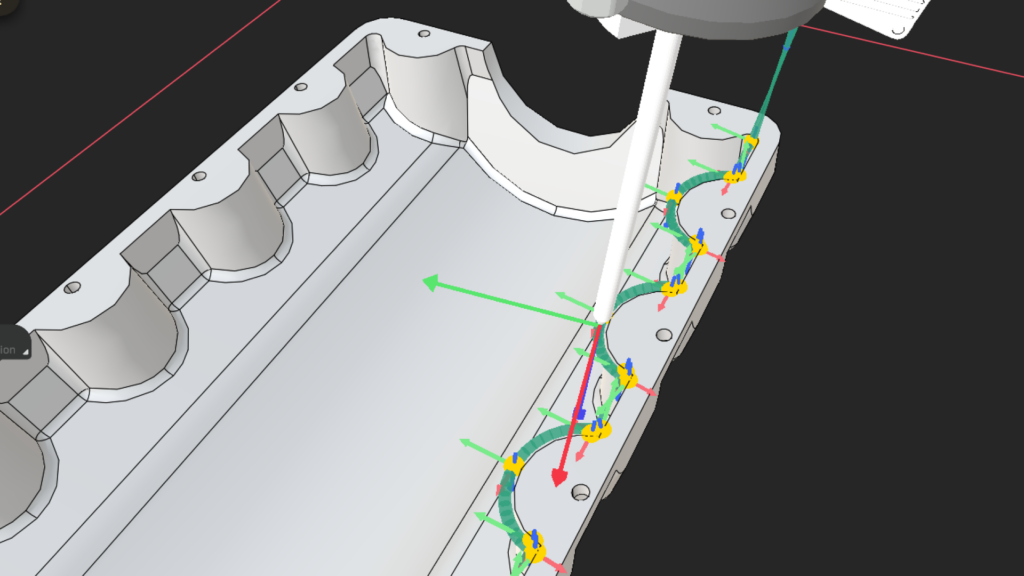
Deburring contours, trim profiles, and edge-following paths across complex geometry, generated directly from CAD.
The operator clicks the edges to process, replacing the teach pendant workflow where each point had to be jogged to and saved individually. Geometry is detected, edge type determined, waypoints generated. Individual edges, closed loops, and grouped sequences are all supported, with a waypoint count preview before the path is committed. What used to be a half-day teach session takes minutes.
Augmentus 3.0 adds native STEP file import alongside OBJ and STL. STEP preserves the original CAD geometry, so edge selection works against the design data itself rather than a tessellated approximation. The result is higher accuracy on every contour.
AutoSurface: complete surface coverage with precise control
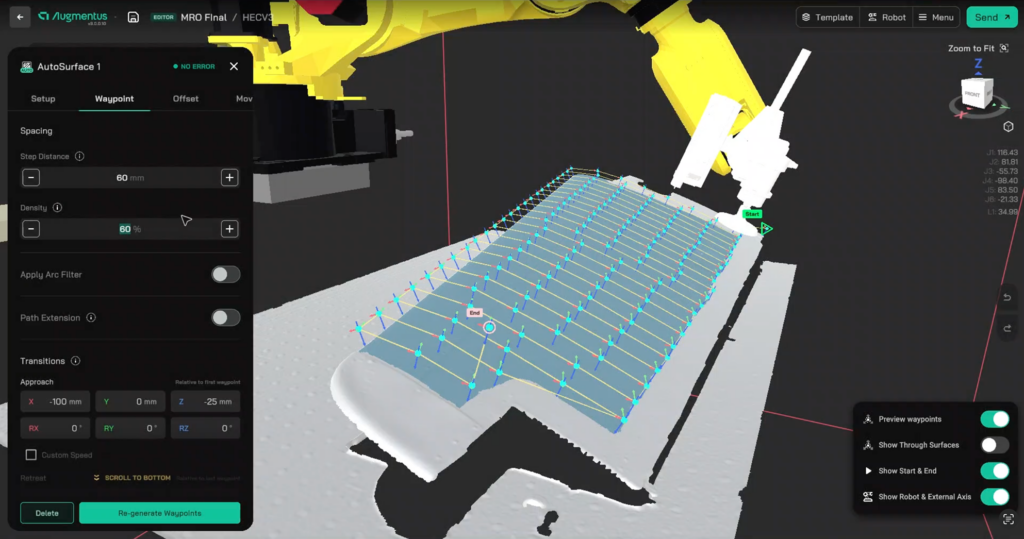
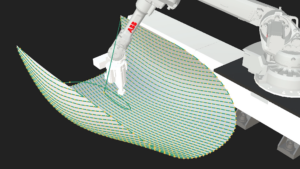
Define the coverage region once and generate a raster path that holds tolerance across the entire surface.
Selection starts with one click. From there, the operator stays in control: refine the region with the brush eraser, exclude features that shouldn’t be processed, or extend coverage into adjacent areas. The surface you commit to is the surface that gets processed, with no over-coverage on holes or fixturing and no manual cleanup of the generated path.
Geometry recognition in 3.0 extends across both CAD and scanned mesh inputs, so the same workflow applies whether the source is a design file or a structured-light scan. The path adapts to the part, and stays there.
Vision-Guided Adaptive Robotics
AutoAlign: automatic path correction, without reteaching
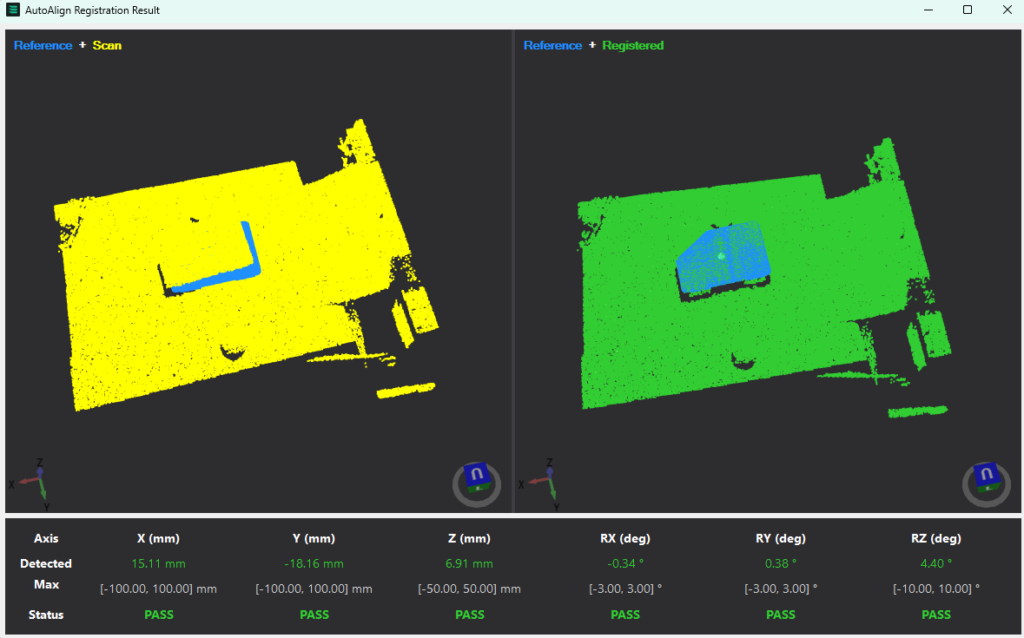
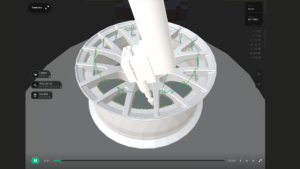
Correct for part variation at runtime without rebuilding programs or writing custom vision logic.
Define the reference object once. From that point forward, deviation detection and mesh processing run automatically. When a part loads slightly off-position, the path corrects itself, without reteaching, reprogramming, or a vision engineer tuning parameters. AutoAlign delivers sub-millimetre accuracy out of the box, turning what used to be hours of sensor configuration into a one-time setup step.
This is what production manufacturers actually need from vision: an alignment layer that runs underneath the path and keeps it accurate as fixturing tolerances and part loading vary.
Cell-Level Improvements
MoveC: true arc motion on curved paths
Execute smooth circular trajectories on curved geometry, supported across ABB, FANUC, KUKA, and UR platforms.
Standard linear interpolation approximates a curve through a series of straight-line segments, and every segment introduces a small velocity discontinuity. Every discontinuity is a potential mark on the part. MoveC generates true arc motion through the curve. For polishing and buffing on curved surfaces, weld seams that follow contour, and coating passes around radii, this translates directly to output quality and cycle time consistency.
Fixed Mount Scanning: scanning architecture that fits your cell
Augmentus 3.0 adds support for fixed-mount scanning alongside the existing end-effector configuration. Mount the scanner stationary on a pedestal, gantry, or wall, and the robot presents the part to it.
This unlocks layouts that arm-mounted scanning can’t accommodate: large parts in confined cells, multi-robot environments sharing a single scanner, and processes where adding sensor mass to the end-effector compromises reach or payload. Switch between end-effector and fixed modes in the Loadout tab. The cell adapts to the process, not the other way around.
Where Augmentus Delivers an Advantage
Augmentus is well-suited to processes where geometric complexity and part variation drive the need for a smarter programming approach.
Thermal spray and coating. Consistent standoff distance and overlap are the output metrics, and both depend on path quality. AutoSurface generates raster paths that maintain those parameters across curved, compound, and scanned geometry. Operators run production; they do not correct paths.
Deburring and surface finishing. Edge contours vary across a batch. AutoEdge resolves that at the path generation stage, producing consistent contour-following paths without manual point adjustment between parts.
Painting and surface preparation. Large surface areas and compound curvature make manual programming expensive to maintain. AutoSurface covers the full part face in a single selection, with path parameters configured for the process from the start.
Start A Trial Today—Run Augmentus Exactly How You Would Use It.
Augmentus is available as a downloadable trial for Windows. Core software capabilities, including automated path generation and trajectory optimization, are accessible from day one, so you can assess fit against your specific manufacturing environment using your own CAD files or our sample workstations. No on-site setup required.
The right environment to start with Augmentus is the one you’re already running.