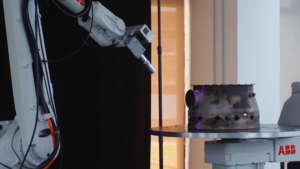
Surface operations are some of the most common robotic applications in manufacturing. Thermal spray, coating, sanding, polishing. They all require the same thing: hundreds or thousands of waypoints spread evenly across a workpiece, with consistent tool orientation, standoff distance, and step spacing throughout.
That density is what makes surface paths so slow to program. With a teach pendant, an operator physically jogs the robot across the surface, recording each position one at a time. A large or complex part can take an entire shift. And if the part geometry changes, the process starts over.
AutoSurface eliminates that bottleneck. Select your surface area on a 3D model, set your process parameters, and the system generates a full toolpath automatically with consistent coverage across the entire region.
Consistent Coverage Across Any Surface Geometry
The core challenge with surface toolpath generation is that real parts aren’t flat. Airfoil profiles, convex and concave transitions, trimmed surfaces, compound curvature. These are standard geometries in aerospace, energy, and precision manufacturing.
AutoSurface is built with different path generation algorithms for different part geometries. Rather than forcing a single approach across every surface type, the system adapts to the curvature and complexity of the workpiece. The same process parameters that produce a good result on a flat panel produce a good result on a turbine blade. Operators set the process once and the system handles the geometry.
Same Toolpath Quality Whether You Start from CAD or Scan
AutoSurface accepts both STEP files and scanned mesh data, and handles the specific challenges of each.
With a CAD model, the geometry is mathematically precise. AutoSurface works directly from the surface definitions to generate waypoints that follow the exact curvature of the part. For operations where the CAD model is the reference, this is the most direct path from design to robot program.
With a 3D scan, the geometry comes from the real world. Surface boundaries aren’t labelled. Where a flat region ends and a fillet begins is often ambiguous. AutoSurface handles this with an intelligent selection tool that expands from where you click based on geometric similarity. A single Surface Threshold slider controls how tightly the selection respects boundaries. The operator dials in the area, and the system generates waypoints across exactly what was selected.
Either way, the path generation engine is the same. The quality of the toolpath is consistent regardless of input type.
What Does The AutoSurface Workflow Look Like?
The path from part to validated program follows the same steps whether starting from CAD or scan:
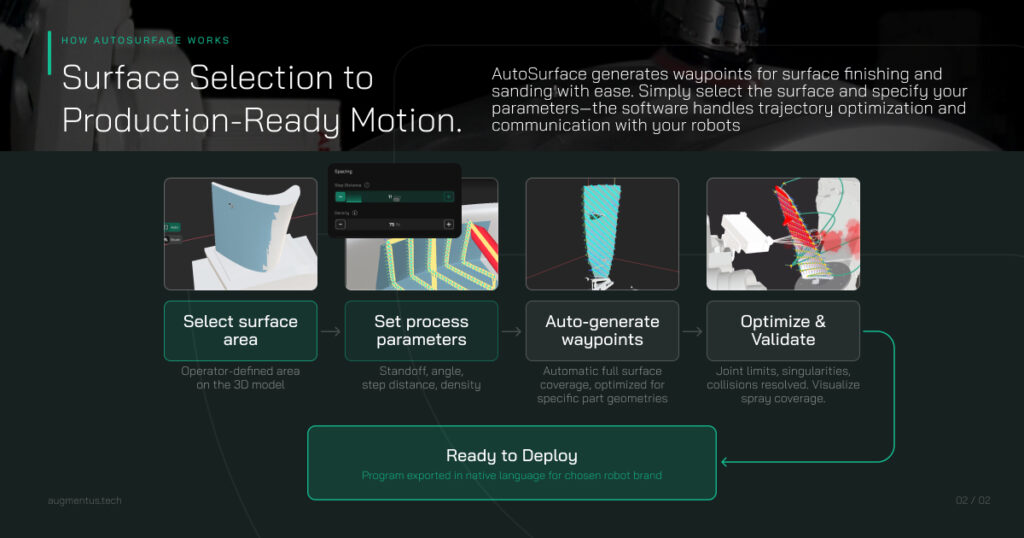
Select your surface area. Click on the part, adjust the selection boundary with the threshold control. For CAD inputs, surface regions are clearly defined. For scans, the selection tool handles the ambiguity.
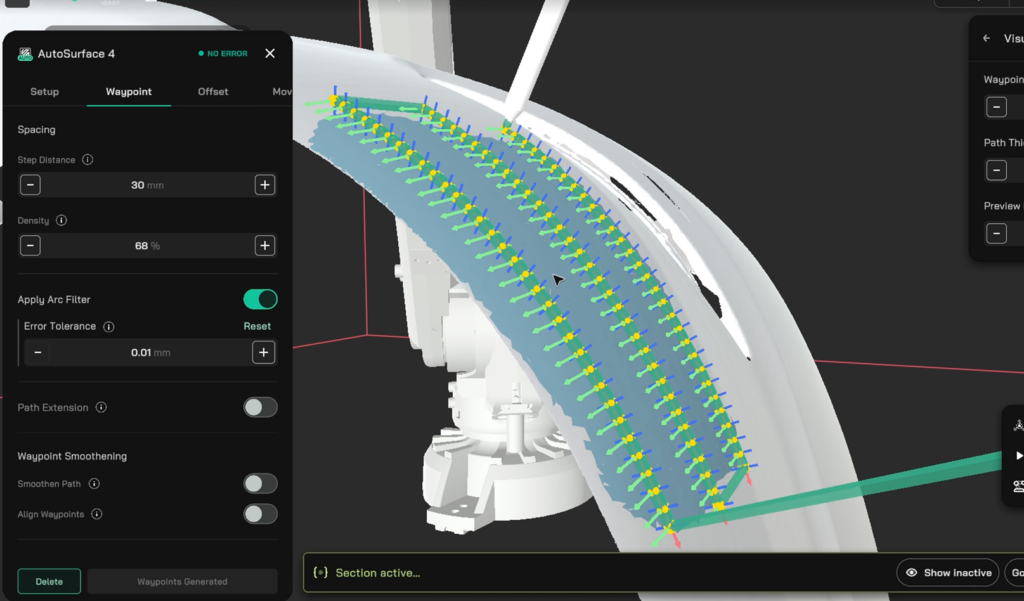
Set your process parameters. Step distance, tool standoff, angle of attack. These are the same parameters the operator already thinks in. Enter them once and they apply consistently across every generated waypoint.
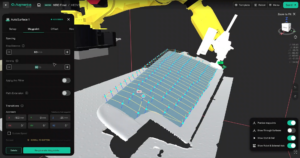
Generate the toolpath. The system produces a full surface path and renders it in the 3D environment for immediate review. Coverage, tool orientation, and step spacing are all visible before anything touches the robot.
Optimize and validate. The generated path feeds into Augmentus’ trajectory optimizer, which solves for singularity, collision, and reachability errors to produce optimised coordinated synchronous motion. It doesn’t just detect problems. It resolves them. Once the simulation passes, the script is exported in the native language for your robot brand.
What This Means on the Shop Floor
Programming time for surface operations drops from hours to minutes. The operator who understands the coating spec or the spray pattern is the same person generating the toolpath. There’s no handoff to a robot programmer, no waiting days for a revised program when the part geometry changes.
When a new part variant comes in, the operator selects the surface, applies the same process parameters, and generates a new path. The workflow is the same whether the part is simple or complex, whether the input is a CAD model or a fresh scan. There’s no different process for difficult geometry.
What you validate in simulation is what runs on the floor—and it only takes minutes to generate.
Want to test it out? Sign up for our free trial today.